Your first project
In fifteen minutes you turn your installation into a bussard project on your laptop and watch the bus decode itself against it. You start from an ETS project export if you have one, or from nothing.
You need:
- bussard on your
PATH(Install bussard), - a KNXnet/IP interface or router on the same network as your laptop,
- optionally, the ETS project export (
.knxproj) and its password.
Nothing on this page writes to a device. Every command here only reads the bus.
Create the project from an ETS export
Register the server on an empty folder, as Connect an assistant shows, put the export next to that folder, and say:
You:        Set up my house. The ETS export is demo-house.knxproj.
Assistant:  (calls knx_setup with project_file: demo-house.knxproj)
            Found the KNX IP Interface at 192.0.2.10. Imported 33
            group addresses, 10 devices and 55 links.
knx_setup runs what bussard init runs, product data from the export included. Afterwards the assistant has its full tool set in the same conversation.
Make an empty folder for the project and import the export into it:
$ mkdir house && cd house
$ bussard import ../demo-house.knxproj
imported 33 group addresses, 10 devices, 55 link entries → the current directory /home/me/house
bussard init does the same in one step, and also finds your gateway and writes it into the project:
$ bussard init ../demo-house.knxproj
Found gateway: KNX IP Interface (192.0.2.10:3671, IA 1.1.250)
imported 33 group addresses, 10 devices, 55 link entries → the current directory /home/me/house
validation: 0 error(s), 4 warning(s)
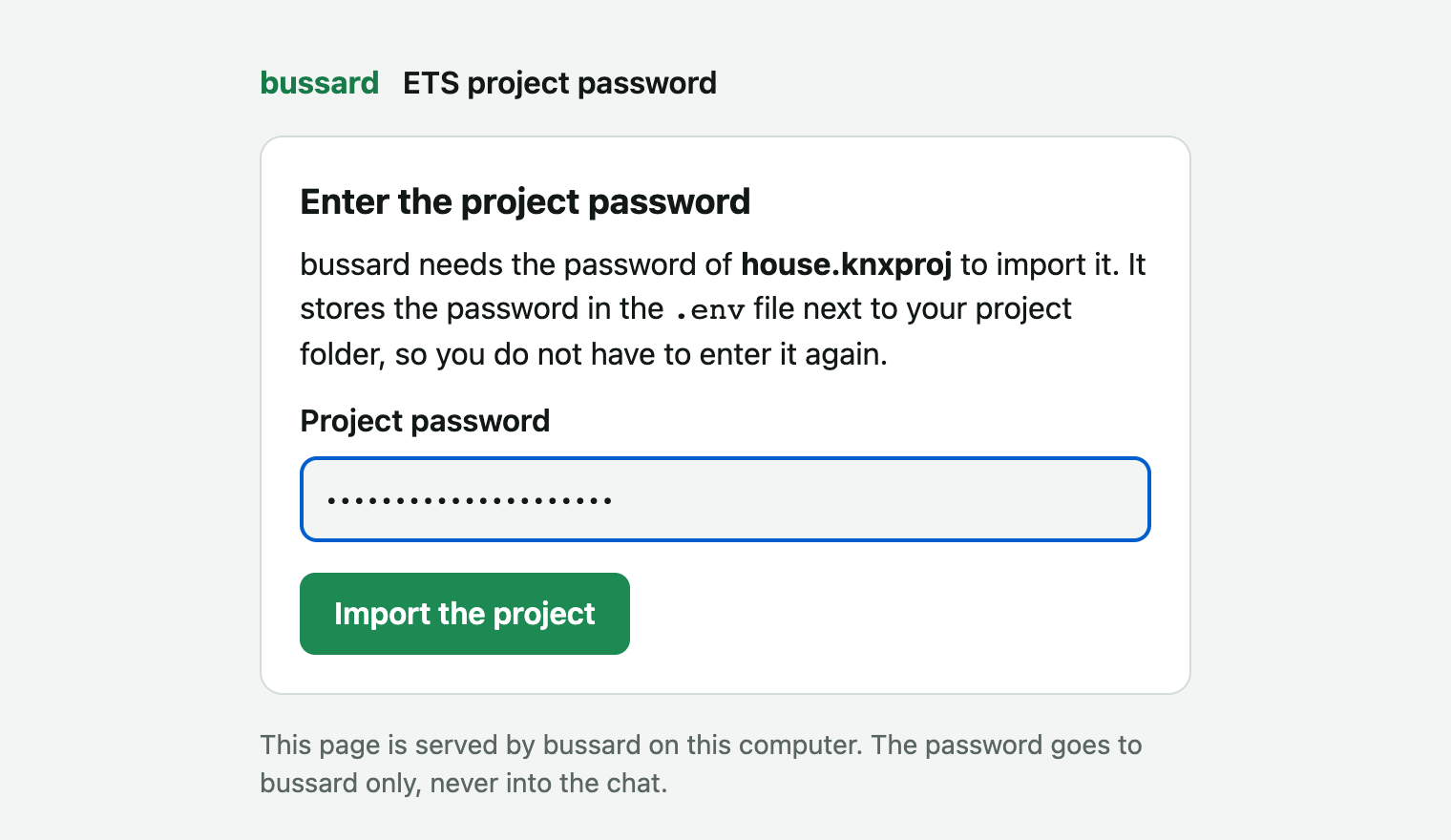
The export is usually password-protected. At the terminal bussard asks for the password, or takes it from BUSSARD_PROJECT_PASSWORD in the .env. In chat, bussard opens a password form in your browser, so the password never goes through the chat, and stores what you type in the .env next to the project folder. A chat app that cannot show the form tells you to put it there yourself. bussard then looks up the vendor product data for every device (the .knxprod files that describe each device's parameters), lists what it would download, and asks once. A device without product data still gets its file, with its identity, location and links.
Or start without one
You:        Set up my house. I have no ETS project.
Assistant:  (calls knx_setup)
            Found the IP Interface at 192.0.2.10 and created an empty
            project.
$ mkdir house && cd house
$ bussard init
Searching for KNXnet/IP gateways on the local network...
Found gateway: IP Interface (192.0.2.10:3671, IA 1.1.250, 4 tunnels, 1 in use)

Created a fresh bussard project in the current directory /home/me/house.
With no ETS project file, setup creates an empty project. It only reads from the network and writes the gateway's address into bussard.toml. Discovery does not cross subnets; if it finds nothing, name the address yourself (bussard init --gateway 192.0.2.10, or tell the assistant).
To fill it from the devices already on a line, bussard reconstruct reads what they carry into a project; Start without an ETS project shows that path. To add devices one at a time, see Add a device.
Check the project
You:        Is the project sound?
Assistant:  (calls knx_validate)
            No errors, 4 warnings.
$ bussard validate
0 errors, 4 warnings
validate never prompts, and exits non-zero when it finds an error. Warnings alone exit 0.
The check runs offline, on the files only.
Watch the bus
You:        I just pressed the hallway button. What did you see?
Assistant:  (calls knx_recent_telegrams)
            Push Button Hallway sent "on" to Hallway Light Switch,
            and the switch actuator reported Hallway Light Status on.
$ bussard monitor
12:03:44.809  1.1.1 Push Button Hallway → 0/0/0 Hallway Light Switch = On (1.001, obj "Rocker 1")
12:03:44.981  1.1.3 Switch Actuator     → 0/0/1 Hallway Light Status = On (1.001)
bussard monitor --filter 0/0 shows only the telegrams you name.
Press a button in the house and its telegram appears. Each monitor line reads left to right:
1.1.1is the sender's address, the device's own address on the bus.0/0/0is the group address, the shared channel a button sends to and an actuator listens on.1.001is the data point type (DPT), which says how to read the value: here a switch, on or off.
The names come from your project. A group address or type that is not in your project shows as raw hex, never as an error.
What the project folder holds
| File | Holds | Written by |
|---|---|---|
bussard.toml |
the gateway, lint settings | you |
groups.toml |
the group addresses with names and data types | you, or import |
devices/<address>.toml |
one device: name, room, parameters, links per channel | you, or import and adopt |
bussard.lock |
what each device runs: product, application program | import and adopt only |
A device holds tables and memory, but no names and no record of why a setting has its value. Your project holds that meaning, so this folder is your installation as files. Everything except the lock is yours to edit, by hand or through an assistant.
A device file reads like its ETS dialog, one table per channel. From a real import of a Jung switch/blind actuator:
[channel.relaisausgaenge-1]
betriebsart = "Lüftungsklappe / Dachfenster"
langzeitbetrieb.listen = ["3/1/20"]
rueckmeldung-lueftungsklappen-dachfensterposition.send = "3/1/23"
You never pass the directory: every command finds the project from the current directory, then ./knx, then the parent directories.
Note
bussard also keeps products/ (the vendor product data it downloaded) and .bussard/ (generated files and the history of every change) next to your project files. bussard never redistributes vendor product data; it fetches it for your project only.
Keep passwords in .env
Put the passwords in a .env file in the project folder or in its parent:
BUSSARD_PROJECT_PASSWORD=...
BUSSARD_KEYRING_PASSWORD=...
BUSSARD_KEYRING_PASSWORD unlocks your key store (bussard.keys) and ETS .knxkeys files. Every command reads the file, so you do not export the passwords in each shell. The .gitignore that init and import write already lists .env. BUSSARD_ALLOW_REAL_GATEWAY is never taken from this file: opening writes to the real bus stays a flag or an exported variable.
Before your first write
Warning
bussard writes to real building hardware. Read Safety once before you use write, apply or flash. Every device write is plan, confirm, write, verify; a write to a gateway that is not on your laptop is refused until you pass --allow-remote-gateway.
Next steps
- Connect an assistant: let an LLM read your project and watch the bus with you.
- The first weekend: back up every device, make one change and undo it.
- Watch the bus: read values, capture traffic, see the network in a browser.
- How bussard works: the project, the product data and what a write does.